
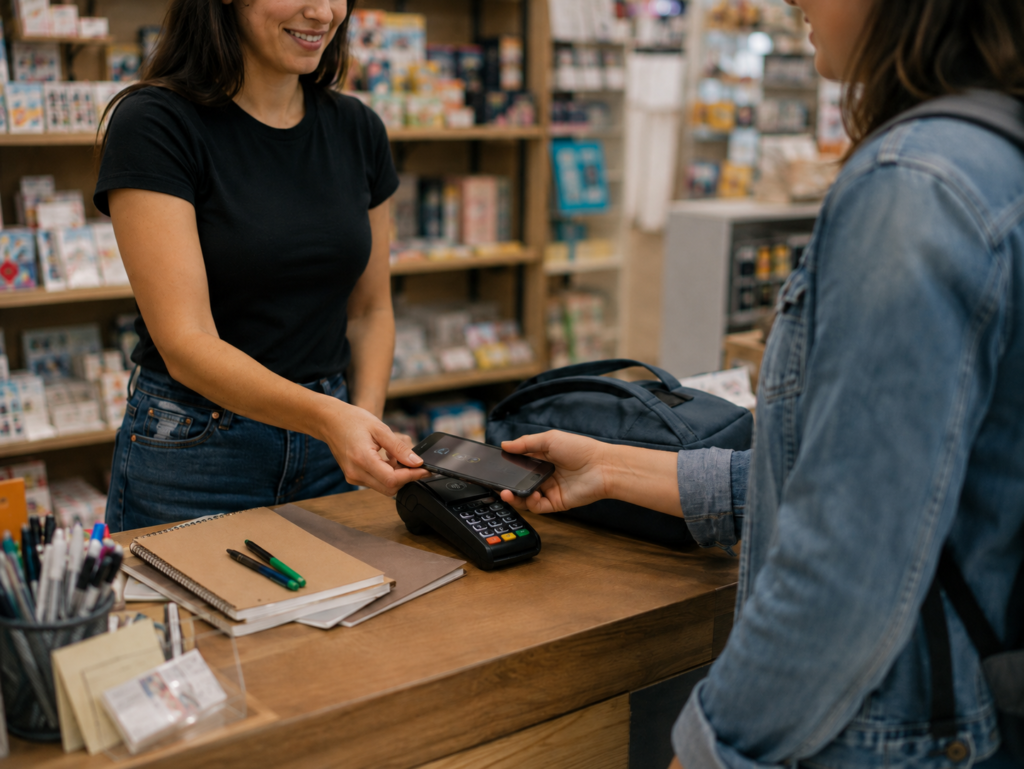
Back-to-school season can create valuable sales opportunities for local businesses. Although major retailers receive much of the attention, many small businesses also experience increased demand during August and early September.
Clothing stores, tutoring companies, salons, medical practices, restaurants, childcare providers, and specialty retailers may all see changes in customer traffic.
Preparing your payment system in advance can help your business manage busy periods and provide a smooth customer experience.
Test Your Payment Equipment Before Traffic Increases
A payment terminal failure can create long lines and lost sales. Before a busy seasonal period begins, test each piece of payment equipment.
Confirm that:
- Terminals turn on and connect properly
- Chip-card readers work
- Contactless payments are enabled
- Receipt printers have paper
- Mobile terminals are charged
- Employees can sign into the system
- Internet and backup connections are available
- Software updates have been installed
Do not wait until the busiest day to report a technical issue. Contact your provider when you first notice slow performance, connection problems, or repeated transaction errors.
Offer Several Ways to Pay
Back-to-school customers are often shopping on a schedule. Parents may be moving between stores, appointments, school events, and work responsibilities.
Convenient payment options can make checkout easier.
Depending on your business, consider accepting:
- Credit cards
- Debit cards
- Contactless cards
- Mobile wallets
- Online payments
- Telephone payments
- Digital invoices
- Gift cards
The best combination depends on how your customers purchase from you.
For example, a retailer may prioritize fast in-person checkout. Meanwhile, a tutoring company may benefit from recurring payments or online invoices.
Review Your Checkout Process
A reliable terminal does not automatically create an efficient checkout process. Employee training and register organization are also important.
Walk through a typical transaction from beginning to end. Look for steps that create delays.
Employees should know:
- How to process each payment type
- How to correct an entry
- How to issue a refund
- When to request identification
- What to do when a card is declined
- How to provide a receipt
- Who to contact for technical assistance
Clear procedures reduce confusion and help employees serve customers consistently.
Use POS Reporting to Plan Inventory
Seasonal sales data can help retailers make better inventory decisions. A modern POS system may show which products sell most often, which hours are busiest, and when inventory is running low.
Review previous sales information when available. Then, compare it with current trends.
Pay attention to:
- Best-selling products
- Slow-moving products
- Average transaction value
- Peak shopping times
- Low-stock items
- Sales by location
- Refund patterns
This information can help you restock popular items and avoid purchasing too much inventory that may not sell after the season ends.
Prepare for Online and Remote Payments
Some customers prefer to purchase online, reserve items remotely, or pay an invoice before receiving a service.
Make sure your online checkout pages and payment links work correctly. You should also confirm that prices, product descriptions, delivery information, and refund policies are accurate.
For security purposes, businesses should avoid requesting card information through unsecured email or text messages. Instead, use an approved payment gateway, virtual terminal, or secure payment link.
Protect Your Business Against Fraud
Higher transaction volume can make unusual activity harder to notice. Employees may also feel pressure to move quickly when customers are waiting.
However, basic security procedures should not be ignored.
Remind employees to:
- Follow the terminal prompts
- Avoid bypassing security features
- Check suspicious transactions carefully
- Protect passwords and login credentials
- Restrict refunds to authorized employees
- Never write down full card information
- Report unusual activity promptly
Businesses should also remain current with PCI compliance responsibilities and payment-system updates.
Plan for Returns and Refunds
Back-to-school purchases may generate returns due to incorrect sizes, schedule changes, duplicate purchases, or unwanted items.
Create a clear refund policy and display it where customers can review it. Employees should understand how to process refunds through the original payment method whenever appropriate.
A consistent policy protects the business while setting clear customer expectations.
Prepare Your Payment System for Back-to-School Season
The back-to-school season can be productive for local businesses that prepare in advance.
Testing equipment, training employees, supporting multiple payment methods, reviewing sales data, and maintaining security procedures can reduce disruptions during busy periods.
USB Payment Processing provides POS and payment-processing solutions for retail stores, restaurants, service providers, medical practices, and other businesses.
Contact USB Payment Processing to review your equipment and prepare your business for seasonal sales.